
Prior to downloading you should contact Artwork and request the following information:
Please include your full contact info with any request for an evaluation: name, company, address, tel, email and purpose for the evaluation. Failure to do so will prevent you from receiving an evaluation.
In order for us to generate license strings you need to provide us your machine's ID. This is best done by downloading the FlexLM_Tools utility and running it on your machine. Use the System Settings tab and copy the Ethernet Address that it displays. See below:
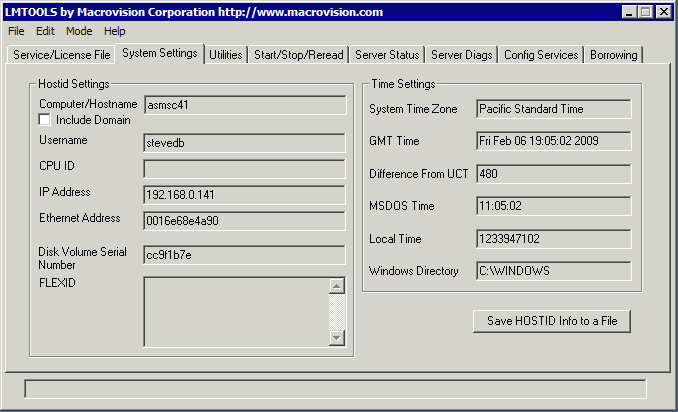
Run the lmtools_pkg.exe utility on your computer; click on the SYSTEM tab and copy your machine's ethernet address.