
Artwork Conversion offers several tools connecting SOLIDWORKS to ECAD tools and equipment.
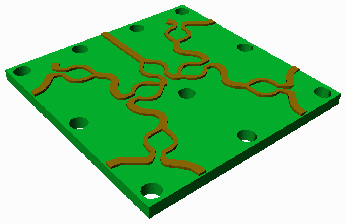
Gerber data (RS274X) is needed when you plan to use a photoplotter to generate masks from your 3D design. Why use STL2GBR when SOLIDWORKS can export DXF? Simple: The DXF output from SolidWorks does not correctly convert to Gerber.
GDSII is the mask format used in semiconductor manufacturing. For items such as MEMs, sensors and microfluidic components.
STL2GDS includes all of the slicing and data conditioning operations needed to get valid GDSII mask data from a 3D design.
Read3Di imports multi-layer board and IC designs into a 3D model. It uses the SOLIDWORKS API to do so. There is an optional FEA module for improved 3D where mechanical, thermal and EM FEA simulators will be used in a follow on step.
Designers of PCBs, IC packages and even integrated circuits may need to import layout data into SOLIDWORKS as a 3D model. This has been difficult to accomplish because:
The block diagram below summarizes our approach:
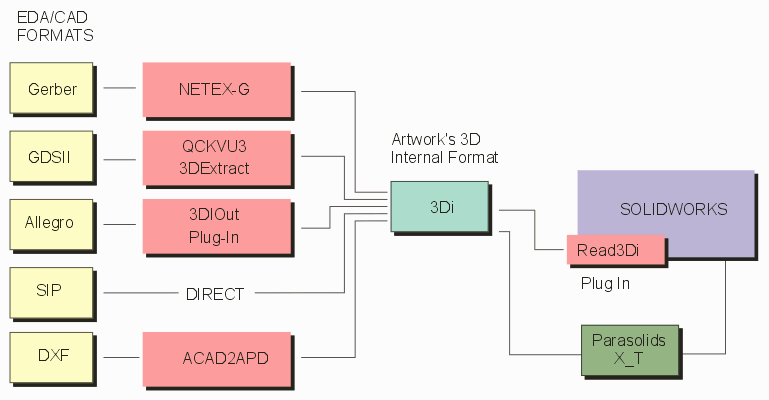
Click on a block to jump to the relevant page ...
Conditioning Input Data
EDA data to import must be first "conditioned." This involves creating clean contours of overlapping data, correcting any illegal (i.e. self intersecting shapes), and assigning to each layer a height and thickness since we are essentially extruding a 2D series of layers into a 3D body.
Common Intermediate File: 3Di
The output of the conditioning software is a file format known as 3Di. Artwork developed this format in 2004 in order to model IC packages in 3D. It supports multiple layers of condcutors and dielectrics, vias, wire bonds and solder balls.
Once in the 3Di format, Read3Di, a SOLIDWORKS plug-in, brings the data into SOLIDWORKS.
Parasolid as Alternative Path?
A major issue encountered with Read3Di is associated with importing large 3Di files - it seems that as the number of 2D regions with extrusions increases, the time SolidWorks takes to extrude these into 3D bodies increases exponentially. While we have spent years attempting to solve or work around this problem we have not found a viable solution.
While experimenting with alternative import methods (such as STEP which is also very slow) we discovered that the parasolid format (X_T) loads in much faster for large files. We think this is because SolidWorks uses the Parasolid kernel as its modeling engine. After months of development we now have a working parasolid output. More Info ...
Two Modules Needed
To convert from an ECAD format into SolidWorks one needs two modules - a translator to convert and condition the data into 3Di and the Read3Di plug-in. The exception is Cadence SIP which directly produces 3Di output.