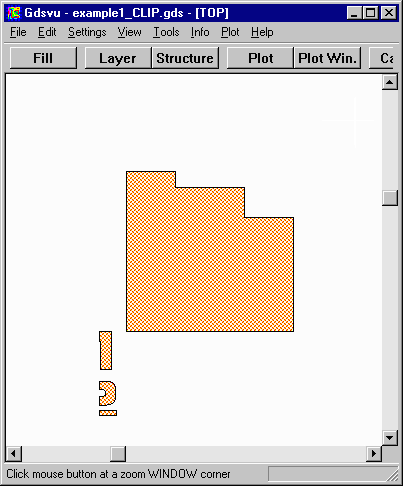
CLIP
Clip creates a new set of polygons based on a "clipping window" that clips the polygon set - i.e. all polygons fully contained within the window are passed to the output and any that cross the window's boundary are clipped to the boundary and passed to the output.
This operation is useful for various mask making operations as well as for selecting a small area of a GDSII file so that you can do a 2D field analysis on it. Clipping is really just a special case of the INTERSECTION operator where one set is the clipping boundary.
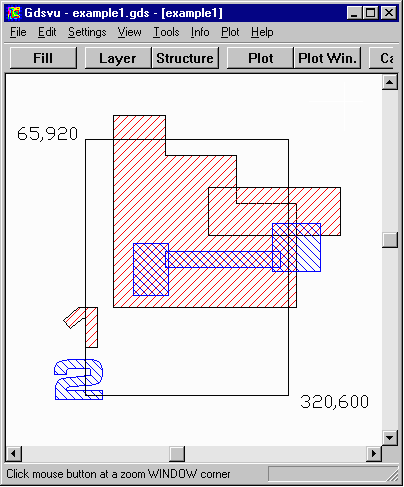
Clip Rectangle: LLx=65, LLy=920, URx=320, URy=600.