
|
Hints
|
|
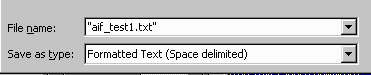
Save as Text (Space Delimited)
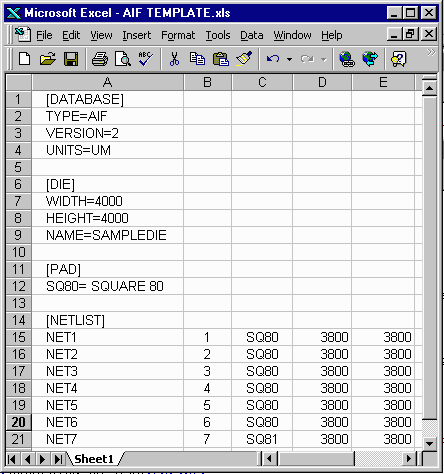
You cannot send the .xls file directly to the die reader. AIF is a text format. When you
are complete with your spreadsheet and have saved it in .xls, you should save it
again, this time as formatted TXT (space delimited).
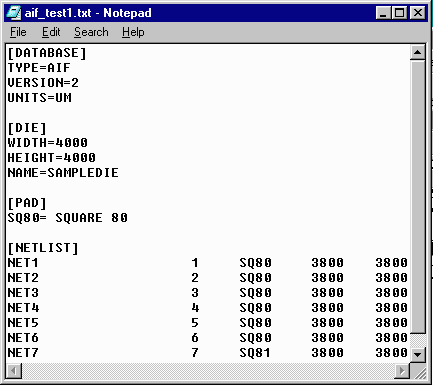
You can see how the output should look by opening the text file in notepad:
|
|
What's in a AIF File Describes the basic sections of the AIF file and their syntax. |
Creating an AIF file with Excel Describes how to create an AIF file using MS Excel. |
Creating an AIF from GDSII Describes the program, SmartDie, used to read, scan and convert a pad ring layer into AIF. |
|
Sample AIF Files Shows simple and complex AIF files and their associated layout. |
Common Errors Describes the most common errors made when creating an AIF File. |
New Multi Die AIF A special version of AIF II designed to contain multiple die (MCM) |
|
Amkor Adopts AIF Format Amkor Technology, the world's largest contract assembler has adopted AIF as its preferred format for exchanging die data ... |
Read AIF into Cadence APD You can read an AIF file directly into Cadence APD with this SKILL program. All intelligence is transferred. |
Read AIF into Encore 2000 Read AIF files directly into Avanti's Encore 2000... |
|
Importance of Net Names! An explantion of the value of adding net names to your die pad list ... |
How to Extend AIF Writing your own AIF tools? How to add your own extensions so that you won't break other's AIF parsers. |
AIF Road Map As packages get more complex here is where we're going with AIF in the future to support MCM's, stacked die etc... |
|
ARTWORK CONVERSION SOFTWARE, INC. Company Profile 417 Ingalls St., Santa Cruz, CA 95060 Tel (831) 426-6163 Fax 426-2824 email: info@artwork.com |