
Adding Multiple GDSII files using GDSFILT UNIXArtwork's GDSFILT utility can be run directly from a command line on UNIX, Linux and Windows. This web page explains how to use the add option to combine multiple GDSII files into one. Combining two or more GDSII files requires a certain care and understanding of the hierarchy since cell (structure) name collisions could cause undesirable effects in the output file. Consider the case where we have 5 different GDSII files and we wish to combine them and we do not need to modify the coordinates in any way.
                     demo6_4.gds
                         TOP
                        Top IO


demo6_1.gds          demo6_5.gds           demo6_3.gds
   TOP                  TOP                   TOP
 Left IO              CHIP CORE             Right IO


                    demo6_2.gds
                        TOP
                       Bot IO
And we want the combined layout to have the file name final_add.gds and a top cell name CHIP. Notice that all of the input files share the same top cell name: TOP. So we have to be careful when combining these that the common cell name does not result in one cell overwriting the contents of the same named cell. |
The -ADD command lineHere is the command line you will need to use with the "add" option. The command line is shown with breaks for clarity on this web page but there are no breaks in the actual command line. Text in italics is not part of the command line
$CAD/gdsfilt/bin/gdsfilt                                         executable

 demo6_1.gds                                                     input file

  final_add.gds                                                  output file

   TOP                                                           top structure of input

    -add demo6_2.gds demo6_3.gds demo6_4.gds demo6_5.gds         file to be added

    -combine CHIP TOP TOP TOP TOP                                use combine to place the
                                                                 5 top cells from the added
                                                                  files under CHIP --
                                                                 the top cell name in
                                                                 the output file.
Here is how the output file will look like. 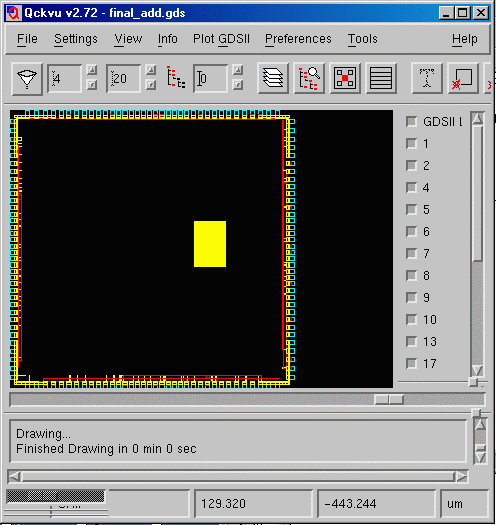 |
| GDSFILT Page | Download | Revision History | Price |