GBRUNION display problem on Solaris


This page describes the reason for GBRUNION menu display problem on Solaris.
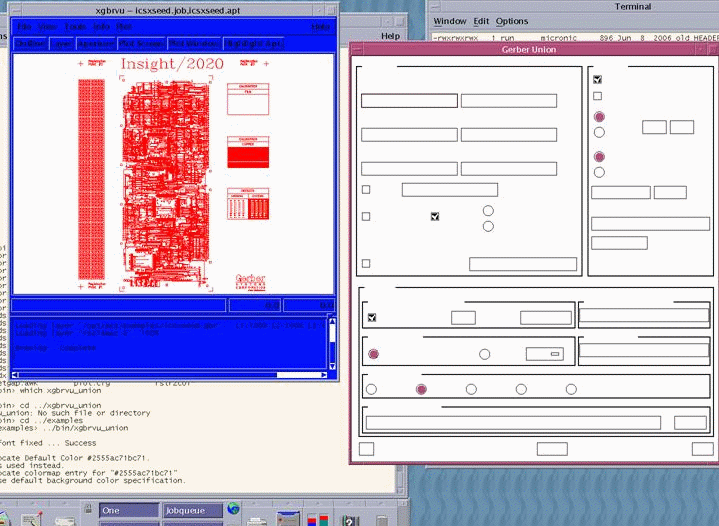
Let's take the following scenario. Start xgbrvu_union program on Solaris, and load your Gerber file. Launch the GBRUNION tool and you will get an incomplete GBRUNION menu as shown below..

xgbrvu_display_prob.gif

As you can see, the menu is missing some text and a few warnings are displayed in the terminal windows.
The problem has to do with the fact that the Solaris OS is currently not set to handle many colors that the application is asking for.
The fix for that is to set the Solaris color support to handle more colors.

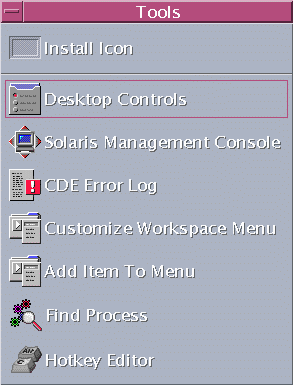
The first step is to click on the Tools menu and select the Desktop Control option as shown below.

tools.gif desktop_cont.gif

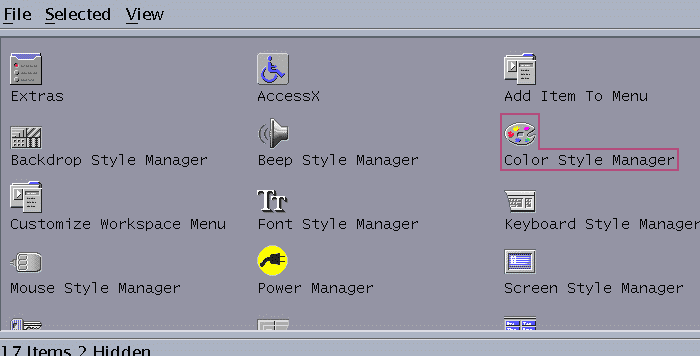
The next step is to select the Color Style Manager.
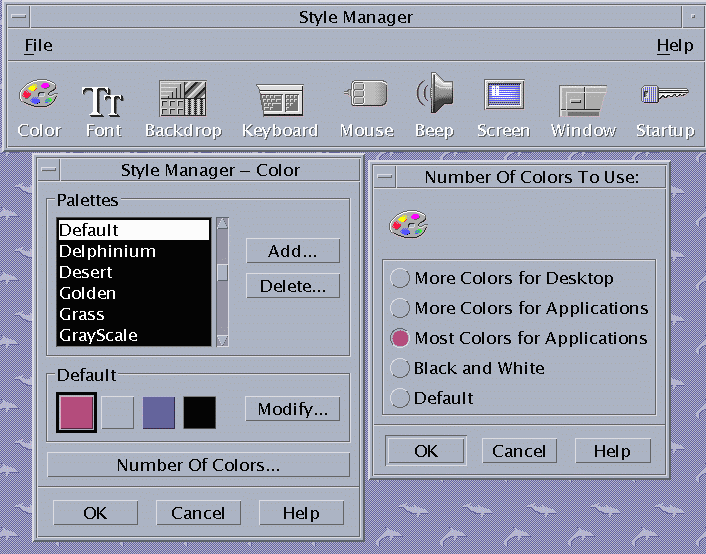
A new menu will come up in which you will click on the Number of Colors and then select Most Colors For Applications.

color_manager.gif