Prior to downloading you should contact Artwork and request the following information:
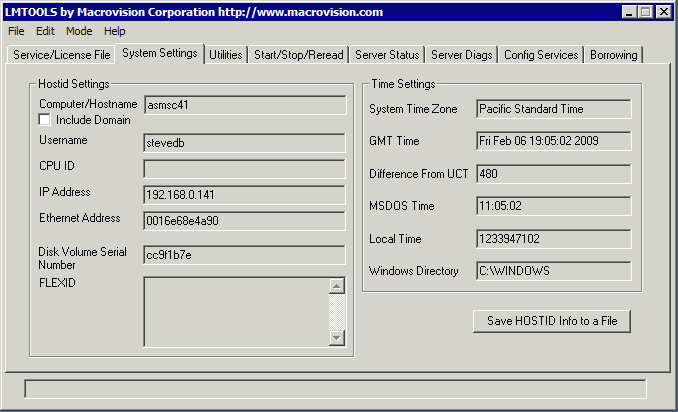
In order for us to generate license strings you need to provide us your machine's ID. This is best done by downloading the FlexLM_Tools utility and running it on your machine. Use the System Settings tab and copy the Ethernet Address and Disk Volume Serial Number that it displays. See below:
|
Example Email
|
| gdsvu.win32.v190.exe | Ver 1.90 January 11, 2007 6 Mbyte self extracting/installing exe, password required. |
|
Documentation
|
|
GDSVU/W Tutorial - Flash |
GDSVU Program Overview |
| manual_gdsvuw.pdf | User manual for GDSVU/W 32 pages 330 KB. |
Problems Accessing our FTP Site?Artwork's FTP site requires a login and password to gain access. This information will be provided to you with the license strings. If after clicking on the link you get a This Page Cannot be Displayed error, this may be due to Internet Explorer's problems accessing password protected FTP servers. In that case, please review the possible fixes on our support page. |
| Datasheet | Revision History | Price | Artwork Home |