Running GDS_RIP Windows in batch mode
|
This page describes the command line you can use to run convert GDSII files to Tiff in batch mode. This is
useful when you need to create many Tiff images of small windows of the GDSII file rather than one Tiff file for the full
extents of the chip. C:\wcad\GDS_RIP\gds2tiff_win C:\wcad\GDS_RIP\EXAMPLES\demo5.gds TOP +4 -ram:64 -pixelsize:0.5 -dbs:4000000 -thrnum:1 -extents:1000,1000,1100,1100 -nbuff:1 -out:win1 C:\wcad\GDS_RIP\gds2tiff_win C:\wcad\GDS_RIP\EXAMPLES\demo5.gds TOP +4 -ram:64 -pixelsize:0.5 -dbs:4000000 -thrnum:1 -extents:1100,1000,1200,1100 -nbuff:1 -out:win2 C:\wcad\GDS_RIP\gds2tiff_win C:\wcad\GDS_RIP\EXAMPLES\demo5.gds TOP +4 -ram:64 -pixelsize:0.5 -dbs:4000000 -thrnum:1 -extents:1200,1000,1300,1100 -nbuff:1 -out:win3 C:\wcad\GDS_RIP\gds2tiff_win C:\wcad\GDS_RIP\EXAMPLES\demo5.gds TOP +4 -ram:64 -pixelsize:0.5 -dbs:4000000 -thrnum:1 -extents:1300,1000,1400,1100 -nbuff:1 -out:win4 |
Raster Tiff FileRun your batch file and after a few seconds the 4 Tiff files will be saved to disk. 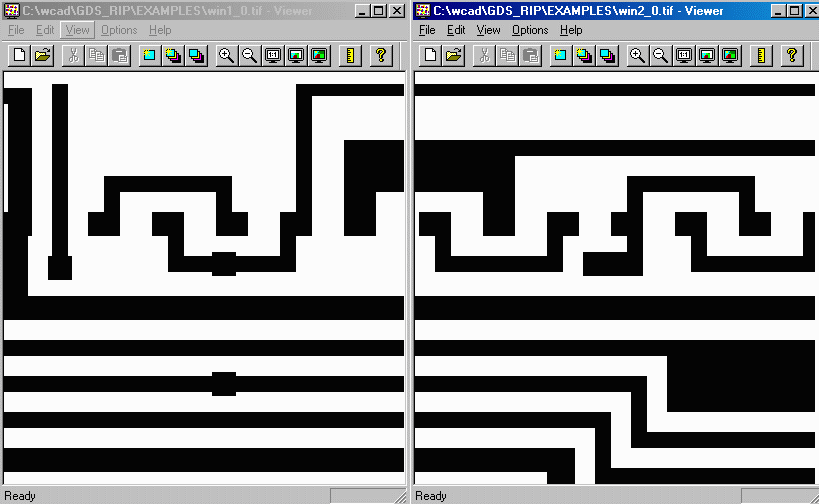
|